
Smart forms and workflows
A form that does more than send an email
Most forms send an email, and that is where the work begins: checking, calling back, retyping. We build forms that ask follow-up questions, flag errors immediately and route the application to the right colleague.
Sound familiar?
A completed form is not yet a usable application
The form collects the application but checks very little. Investigating, filling in gaps and retyping all happen afterwards, by hand.
- A form arrives by email, and someone transfers the data into Excel or the CRM.
- Half of all applications are missing an attachment. Every application needs another round of emails.
- A required field contains “see attachment”, or a KvK number with a typo.
- An approval is stuck in the inbox of a manager whose diary has been full for three weeks.
- People call to ask whether their form has arrived.
Examples
Forms you will probably recognise
Any form that still needs work after submission can be smarter. Here is what that looks like in practice.
Quote and order requests
Asks follow-up questions about the product, quantity and delivery time, calculates a price and routes the request to the right salesperson.
Applications and registration
For a course, event or membership. You only see questions relevant to your choice and receive confirmation straight away.
Fault and damage reports
A location and photo are required, urgency determines who handles the report, and the person reporting it can track its status.
Grant and funding applications
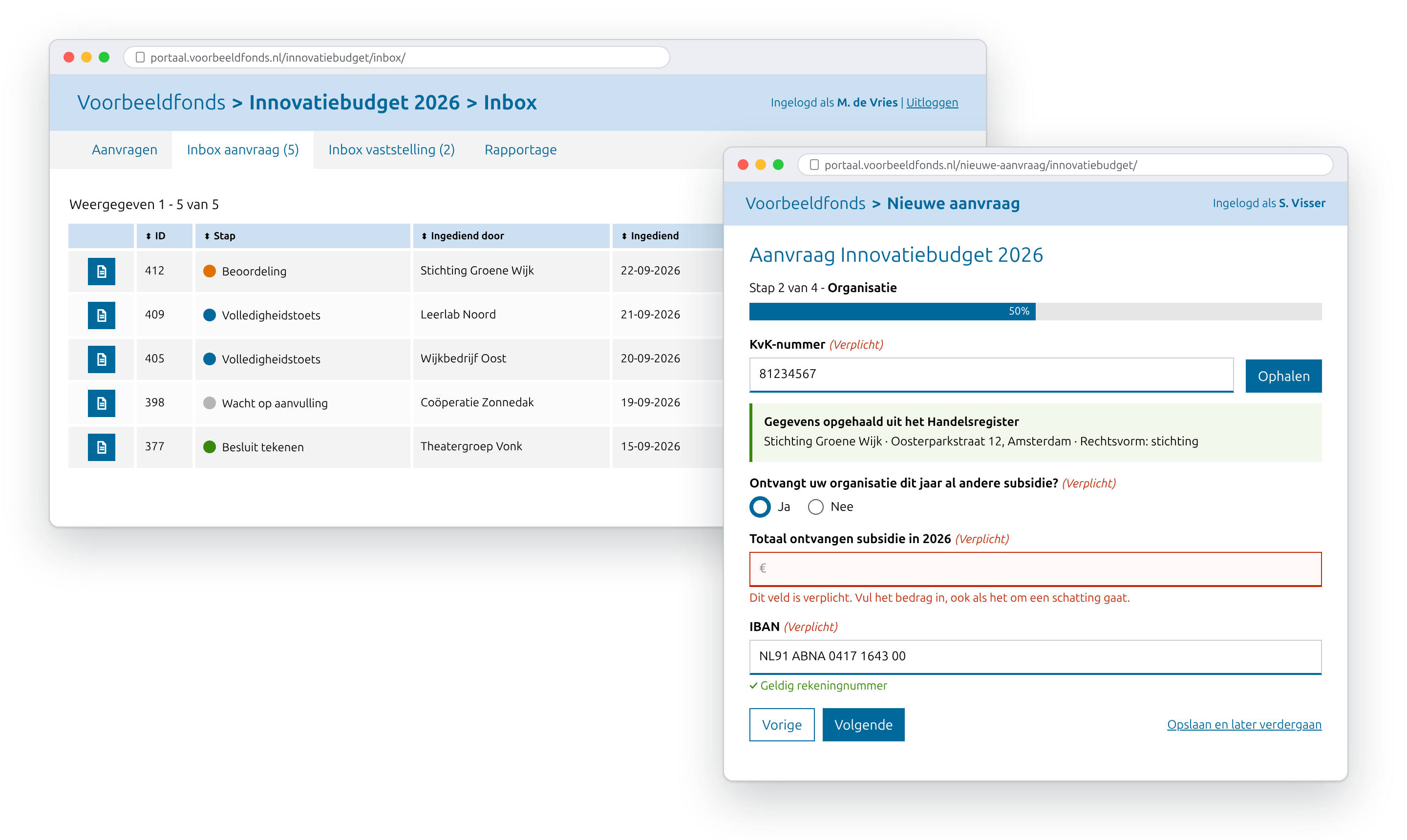
Retrieves company details from the KvK (Dutch Chamber of Commerce), checks the budget and routes the application through the assessors.
Leave, purchasing and expenses
Internal requests go to the right approver, depending on the amount or department. If they are absent, a substitute takes over.
Complaints and reports
Asks follow-up questions for each topic, routes the complaint to the right team and monitors the deadline for your response.
What changes
What a smart form does differently
The form does the work your colleagues currently do afterwards. What comes in is complete and goes straight to the right person.
- Ask follow-up questionsYou only see questions that apply to your situation. Each answer determines which question comes next.
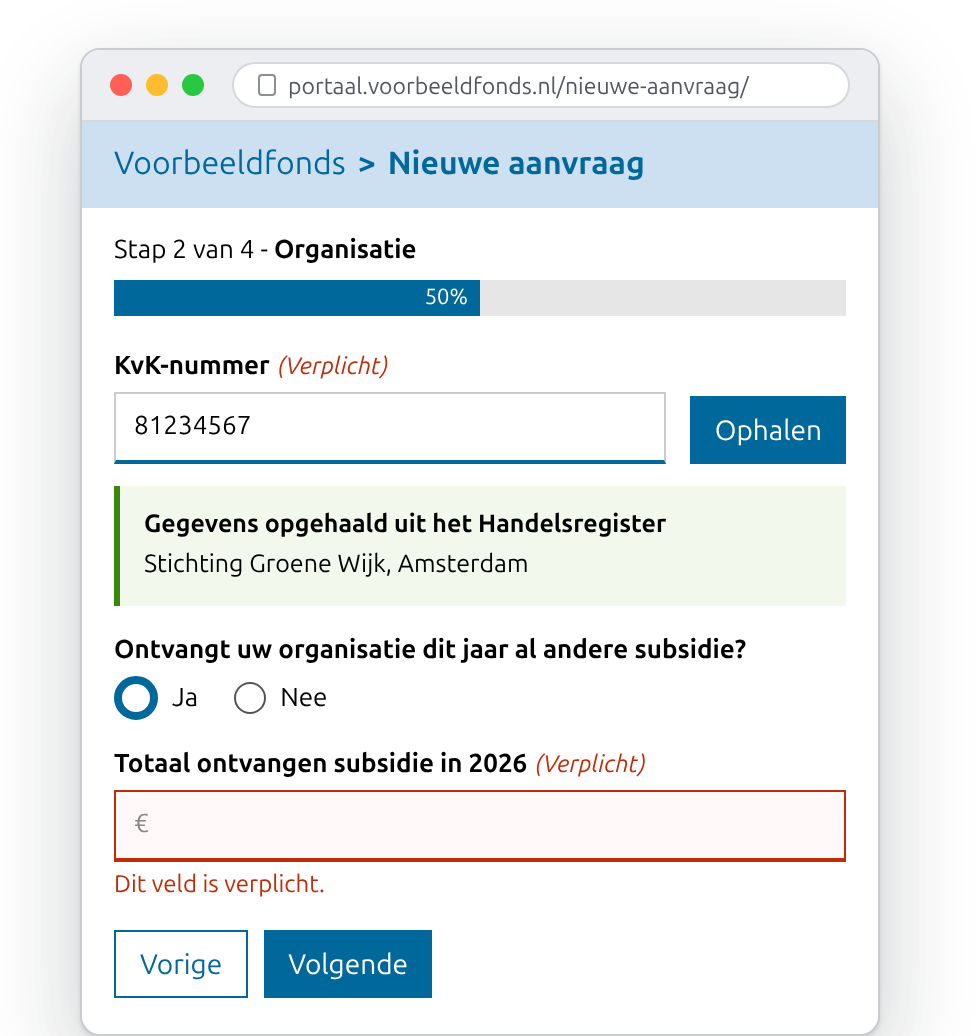
- CheckA missing attachment, an impossible date or a KvK number that does not exist is flagged before the form is submitted.
- RouteThe application reaches the right colleague or department, with all the data and attachments included.
- Follow upConfirmations, reminders and status updates are sent automatically. Data flows into your CRM or administration system without retyping.
Aiwos Platform
Manage your own forms
Your forms run on the Aiwos Platform. Your team can add a question, change text or create a form for a new campaign themselves, without waiting for us.
We agree in advance what your team can publish themselves and which changes we review together, such as changes to process rules or integrations. Prefer not to do it yourself? Then we will do it for you.
What your team can do themselves
- edit questions, text and dropdown lists
- create a new form based on an existing form
- change confirmation emails and notifications
- view, filter and export submissions
Proof
Forms and workflows in practice
-
Rijksoverheid
12.000 potential applicants, 70 case handlers
Grant process for 12,000 potential applicants
View case study: Grant process for 12,000 potential applicantsAn application and assessment portal for a scheme with more than 12,000 potential applicants and a case handling team of 70 people.
-
Curriculum.nu
2.500 potential submitters, 150 assessors
Curriculum.nu: one workflow for submitters and assessors
View case study: Curriculum.nu: one workflow for submitters and assessorsA platform set up for 2,500 potential submitters, 150 assessors and multiple rounds of feedback on educational reform.
-
Branchevereniging TestNet
70% less time spent publishing events
TestNet publishes events in 70% less time
View case study: TestNet publishes events in 70% less timeA smart form and a fixed page structure cut the time needed to publish new TestNet events by 70%.
“We chose Aiwos because they are customer-friendly, flexible and creative. They speak the language of users, applicants and technology.”
Management team member, head of department, Dutch central government
When this fits
A good fit
- you receive a lot of forms of the same type
- what needs to happen after submission depends on what has been filled in
- colleagues spend hours each week checking and retyping
We can also help if
- you start with one form and expand later
- you already have forms in WordPress and want to make them smarter
- the process still changes regularly
No-obligation exploration
Make your form smarter
In 30 minutes, we look at your form, what happens after submission and where checks and workflows can save time.


You will speak to Jurriaan Koops or René Serier, the partners at Aiwos.
After submitting
- A personal response within one working day
- A 30-minute conversation at a time that suits you
- A concrete next step, even if we are not the right fit