
Internal approvals
Approvals with a record of who decided what
An approval portal for purchase, budget, leave and other internal requests. It routes each request to the right people and records who decided what. For organisations that currently approve requests by email, chat or a signature on paper.
Sound familiar?
An approval by email is hard to find later
Approving usually takes little time. Finding out later who approved what, and why, takes much longer.
- Approval is given with “fine!” in a forwarded email.
- Nobody knows who has a request.
- The route depends on who the applicant knows.
- If one manager is away for a week, everything stops.
- The accountant asks who approved this expense, and nobody is sure.
The solution
One route for each type of request, with decisions recorded
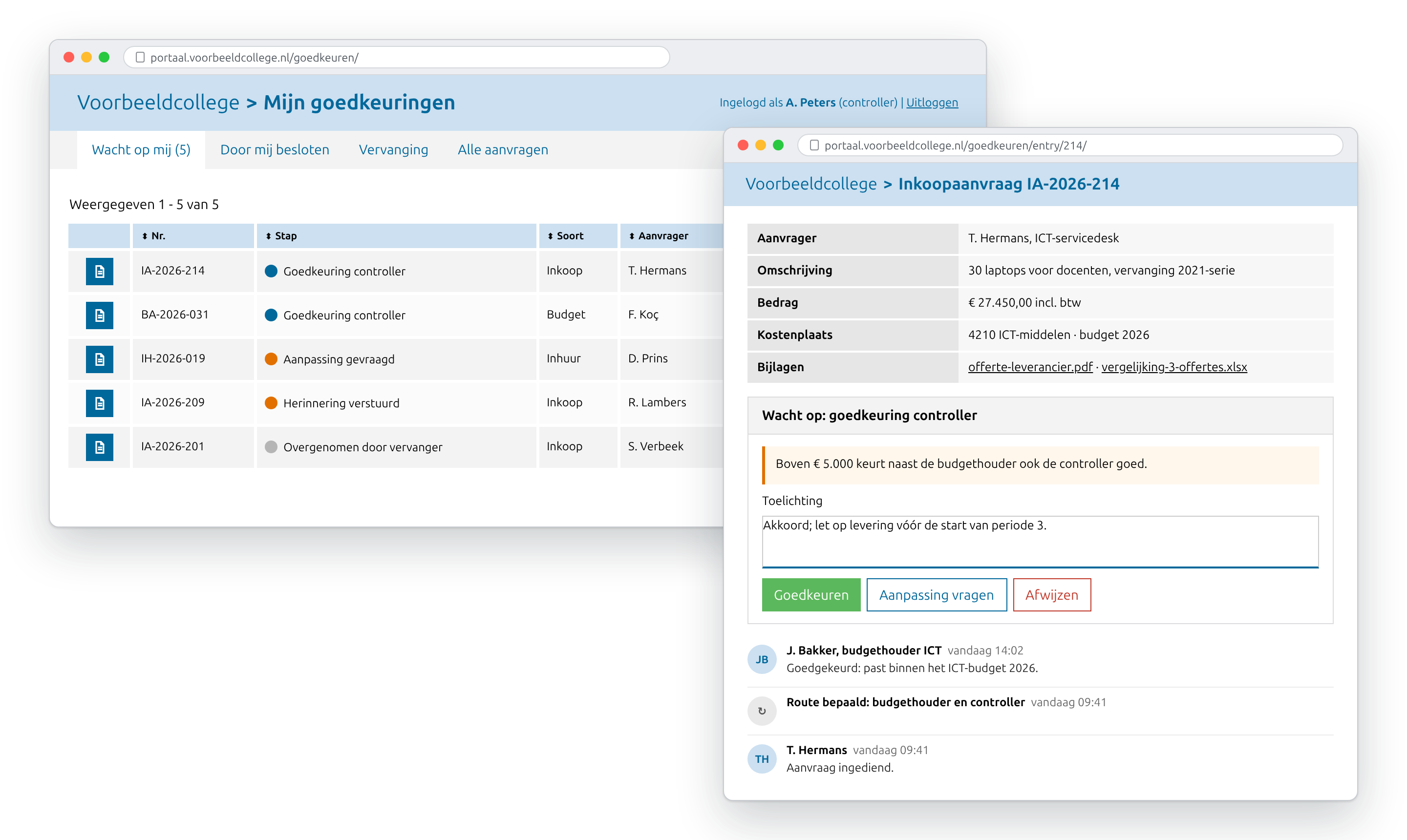
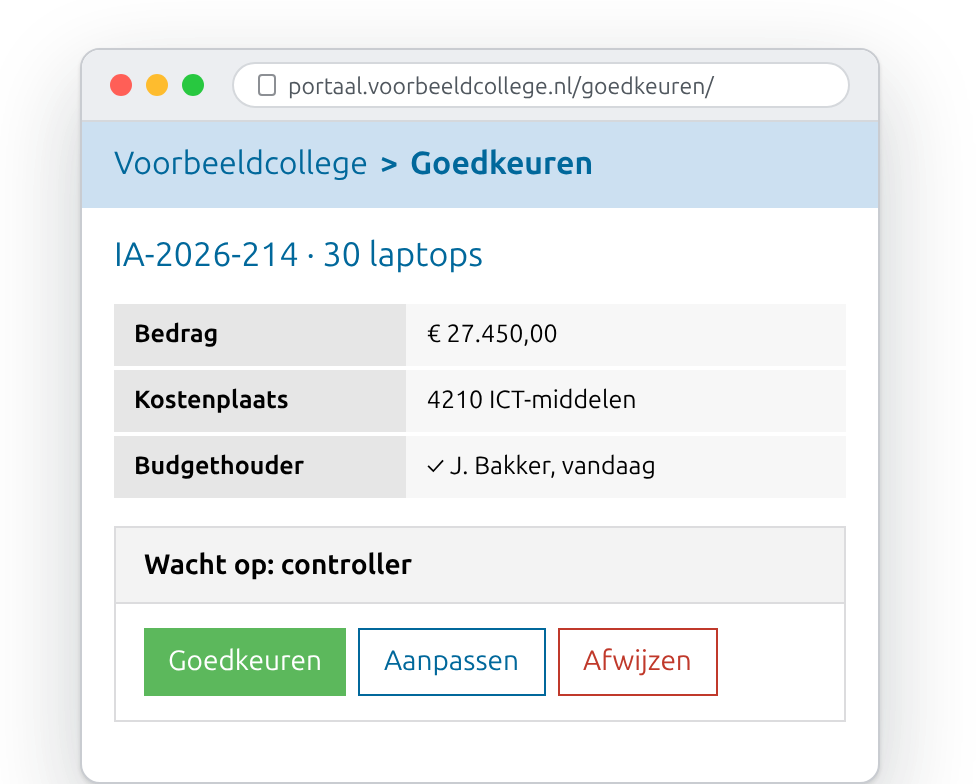
Each request is automatically sent to the right approvers based on its type, amount and department. Every decision is recorded with a name, time and explanation.
- request forms by type: purchases, budgets, leave, external hiring
- routing by amount, department or cost centre
- approve from an email or the portal, including on mobile
- cover during absences and alerts for delays
- a complete record of the request, decisions and explanations
How the process flows
- RequestThe employee completes a form suited to the type of request.
- RoutingThe amount, department and cost centre determine who needs to approve.
- DecisionApprovers approve, reject or request changes.
- Follow-upOnce approved, the request goes to procurement, HR or finance.
- RecordEvery step is recorded, ready for review or audit.
Now
Email, chat and signatures
- approvals scattered across email and chat
- unclear who has a request
- routes vary from person to person
- work stops during absences
- no record for the accountant
Soon
One approval portal
- a fixed route for each type of request
- status always visible to the applicant
- approve in two clicks, even on the go
- cover arranged
- every decision recorded
Example workflow
How a purchase request will work
Example process
Educational institution, 900 employees
Currently, purchase requests are emailed to the manager, who forwards them to the budget holder and sometimes to the financial controller. Here is how one request flows:
- 09:00 · RequestA team leader requests twenty laptops for €14,000.
- 09:00 · RoutingThe amount is over €5,000, so the request goes to the budget holder and the financial controller.
- 11:30 · DecisionThe budget holder approves using a single button in the email. The financial controller is on holiday, so their deputy approves.
- 11:31 · ProcurementOnly now does procurement receive the request, fully approved and with the complete record attached.
Discuss your approvals
In 30 minutes, we discuss which requests currently go to whom, where they get stuck and how to create a complete record.
- no detailed plan needed
- you share your process and bottleneck
- together we decide on a suitable next step


You will speak to Jurriaan Koops or René Serier, the partners at Aiwos.
After submitting
- A personal response within one working day
- A 30-minute conversation at a time that suits you
- A concrete next step, even if we are not the right fit