
Intake and case file creation
A complete case file from day one
An intake portal that collects client data and documents in one go, checks them and puts them in a case file. For advisory and accountancy firms, legal and financial service providers and healthcare providers.
Sound familiar?
The case file is only complete after the third email
A lot of time goes into requesting, checking and gathering documents. Only then does the real work begin.
- The client gets a list of ten documents and sends six.
- Data from PDFs and scans is manually retyped into the case file.
- Documents are scattered across emails, download links and a network drive.
- You only know whether a case file is complete when you open it.
- Sensitive documents, such as a passport copy, are simply sent by email.
The solution
An intake that works out what is needed
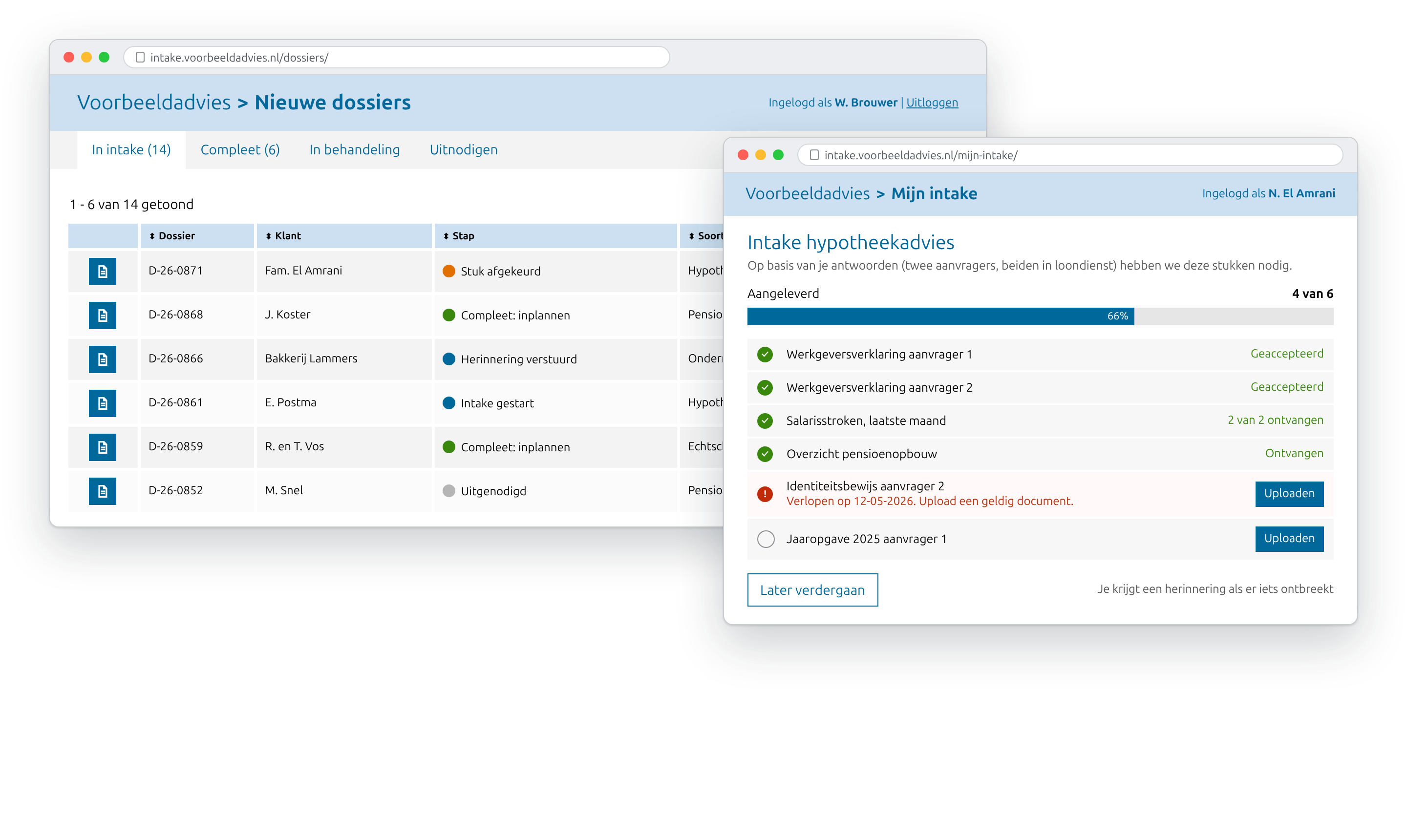
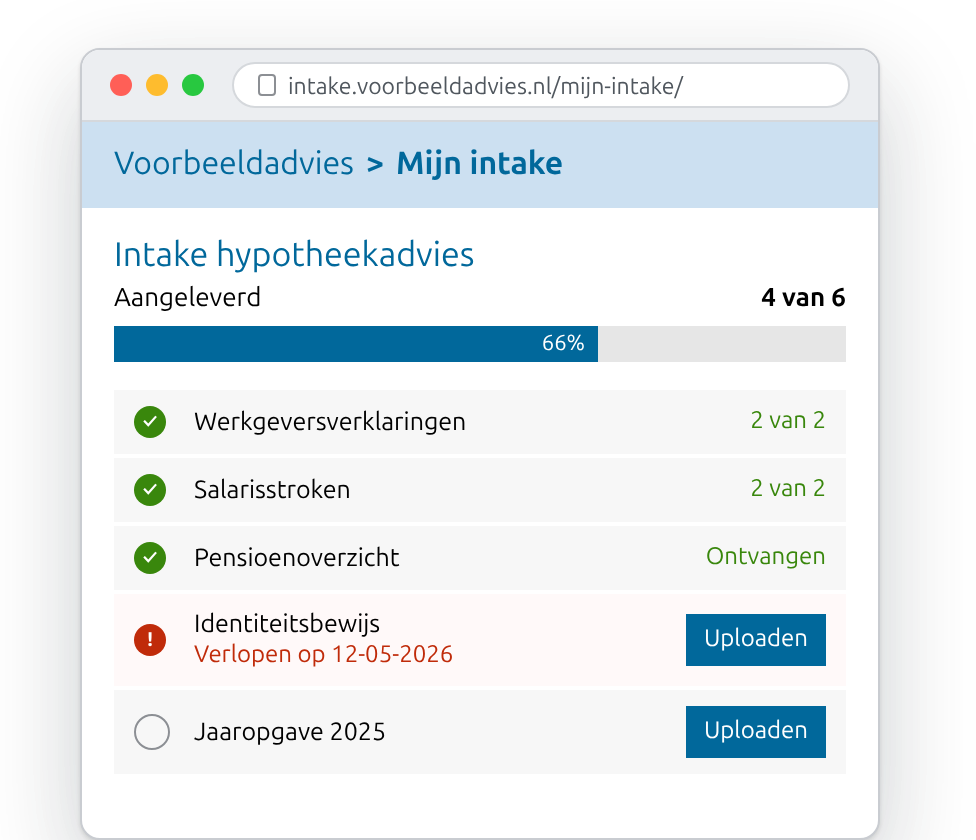
The intake form only asks for what is relevant to the client’s situation and shows which documents are still missing. Everything is received securely and goes into one case file.
- questions and document list tailored to the client’s situation
- secure uploads, with the option to add documents later
- automatic checks for missing or expired documents
- case file overview showing each client’s status
- integration with your case or practice management system
How the process flows
- InvitationThe client receives a personal link to their intake.
- IntakeQuestions and the document list adapt to the answers.
- Follow-upMissing documents are requested automatically, specifying exactly what is needed.
- ReviewThe adviser sees a complete case file and approves the intake.
- StartThe case file moves on to case handling or to your own system.
Now
Checklists, emails and retyping
- documents arrive in batches
- data is retyped
- documents are stored in different places
- phone calls to chase missing documents
- no clear view of which case files are complete
Next
One intake portal
- the client sees exactly what is still missing
- data arrives in a structured format
- all documents in one secure case file
- reminders are sent automatically
- the status of every case file in one overview
Example flow
How an intake will work
Example process
Advisory firm, 600 new case files a year
New clients currently receive an email with a document list, and an assistant works out what has arrived. Here is how one intake works:
- Day 1 · InvitationA business owner with a private limited company becomes a client and receives a link to the intake.
- Day 1 · IntakeBecause this is a private limited company, the portal requests the annual accounts and shareholder register and skips the questions for individuals.
- Day 3 · ReviewThe KvK (Dutch Chamber of Commerce) extract is more than three months old. The client automatically receives a request for a new copy.
- Day 5 · StartThe case file is complete. The adviser starts with all the data already in the right place.
Discuss your intake process
In 30 minutes, we discuss how client data and documents currently arrive, what is often missing and how to complete a case file faster.
- no detailed plan needed
- you share your process and bottleneck
- together we decide on a suitable next step


You will speak to Jurriaan Koops or René Serier, the partners at Aiwos.
After submitting
- A personal response within one working day
- A 30-minute conversation at a time that suits you
- A concrete next step, even if we are not the right fit