
Registration and re-registration
Registrations renewed on time, with everything in place
A register portal where professionals track their own points and supporting documents and re-register on time. For professional and quality registers, trade associations and recognition schemes.
Sound familiar?
Everything arrives at once in the final week
It is quiet all year, then everything needs checking in just a few weeks. Manually, point by point.
- Supporting documents arrive as photos, PDFs or forwarded emails.
- The secretariat checks the points with a calculator at hand.
- Reminders are sent manually, or not at all.
- Anyone who misses the deadline only finds out when an employer asks why their registration has expired.
The solution
A register that tracks who needs to renew and when
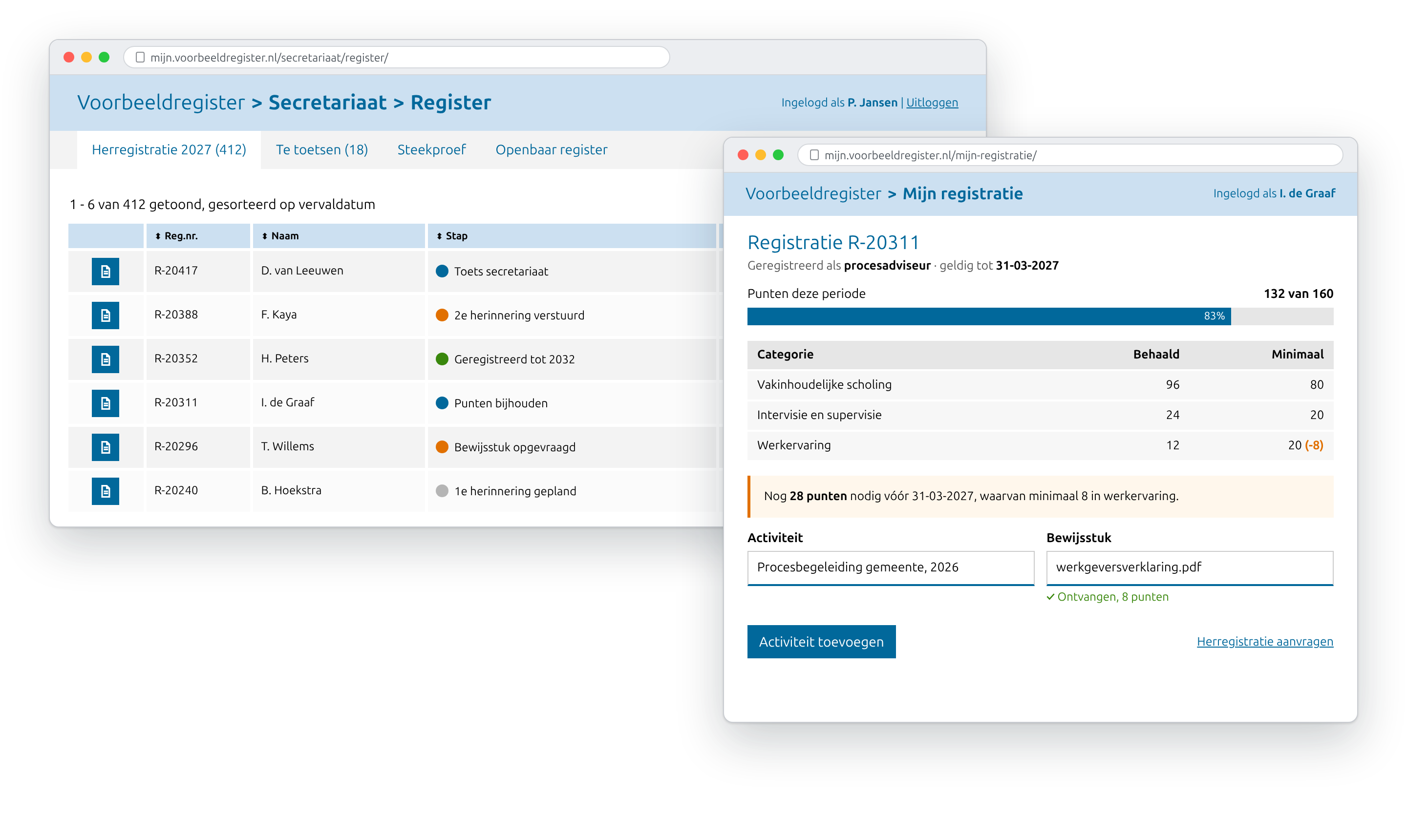
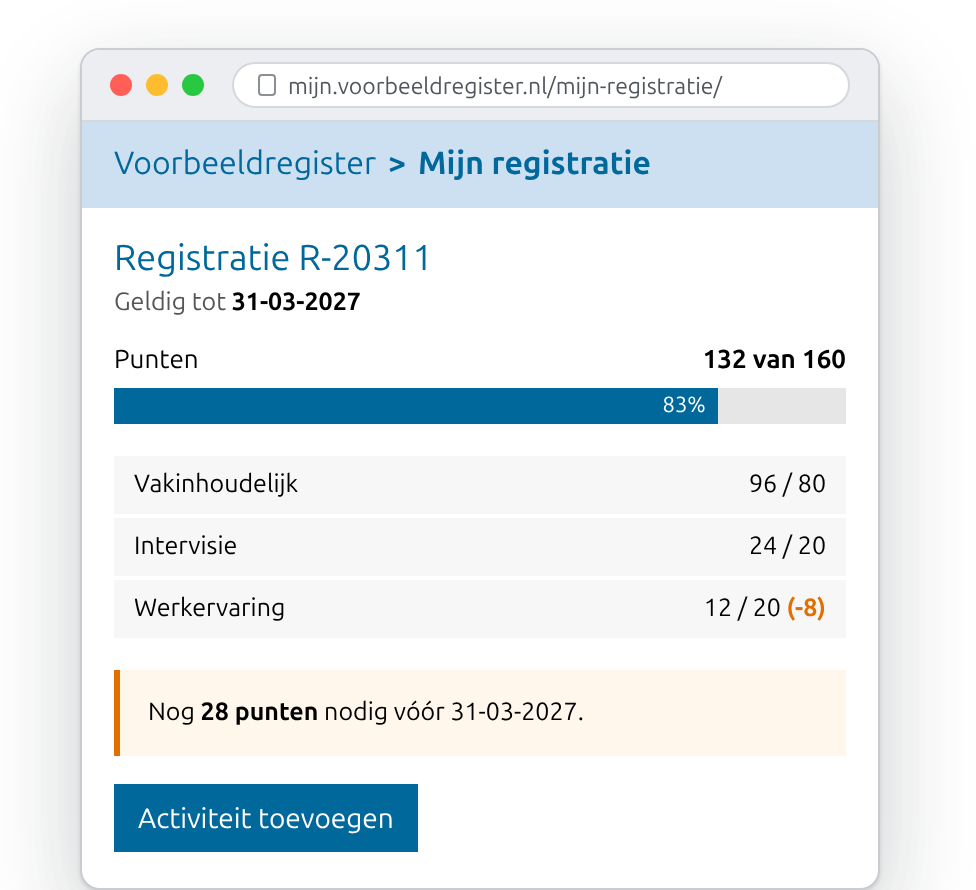
Registrants track their training and work experience in their own environment throughout the period. The portal keeps count, sends timely reminders and records the secretariat’s assessment.
- a personal case file for each registrant with points and supporting documents
- automatic points totals by category and period
- reminders well before the end date
- spot checks or full assessment by the secretariat
- a public register that updates itself
How the process flows
- RecordRegistrants add activities and supporting documents throughout the period.
- ReminderThe portal flags who is falling behind and when their registration expires.
- ApplicationThe re-registration application is submitted with a complete points total.
- AssessmentThe secretariat checks, requests information or approves.
- RegisterThe new period appears in the public register straight away.
Now
Forms, uploads and manual counting
- points are collected at the end of the period
- supporting documents arrive in every format
- counting and checking are done manually
- reminders depend on a single spreadsheet
- the public register is updated manually
Soon
One register portal
- points tracked throughout the period
- automatic points totals by category
- timely reminders, sent automatically
- the secretariat assesses everything in one overview
- the public register is always up to date
Example flow
How re-registration will work
Example process
Professional register, 3,000 registrants
Currently, registrants email a points summary and certificates every five years, and the secretariat checks all the totals. Here is how one re-registration works:
- Years 1 to 4 · RecordA registrant uploads their certificate after each course. The counter shows how many points are still needed.
- Year 5 · ReminderTwelve points are still missing. The registrant receives an automatic reminder well before the deadline.
- Reference date · ApplicationWith all points in place, the registrant submits their re-registration application.
- Same day · RegisterEverything is in order, so the register updates itself. The secretariat only reviews applications that deviate from the requirements.
Discuss your register
In 30 minutes, we discuss how re-registration works now, how points are counted and where the secretariat spends most of its time.
- no detailed plan needed
- you share your process and bottleneck
- together we agree on a suitable next step


You will speak to Jurriaan Koops or René Serier, the partners at Aiwos.
After submitting
- A personal response within one working day
- A 30-minute conversation at a time that suits you
- A concrete next step, even if we are not the right fit