
Assessment and judging
Assess submissions without the Excel puzzle
An assessment portal that assigns submissions to assessors, records scores against fixed criteria and brings everything together in one overview. For funds, awards, competitions, calls and open applications.
Sound familiar?
Assessment is quick. Gathering and coordinating is not
The time goes into preparing documents, and into clearly presenting and discussing scores and their explanations.
- Assessors receive a folder of PDFs and an Excel file to fill in.
- A separate list records who assesses which submission.
- Scores come back in different versions, and someone has to work out which is the latest.
- A conflict of interest only comes to light after the score is in.
- The jury discusses averages that someone calculated by hand.
The solution
One place for submissions, assessors and scores
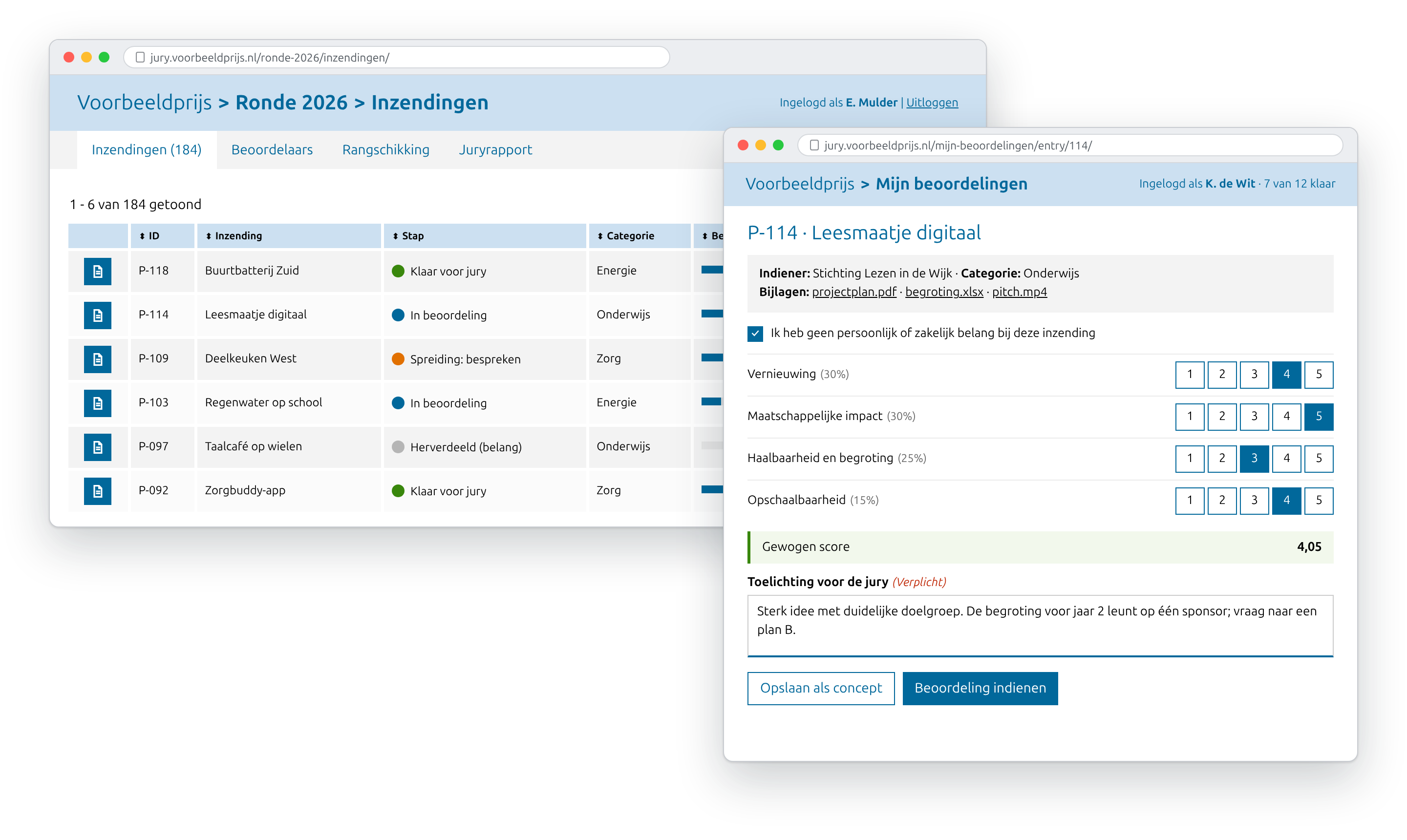
Submissions arrive in a structured format and are assigned automatically. Each assessor sees only their assigned submissions and scores against the same criteria. The overview calculates the results.
- assignment to assessors by theme, expertise or number of submissions
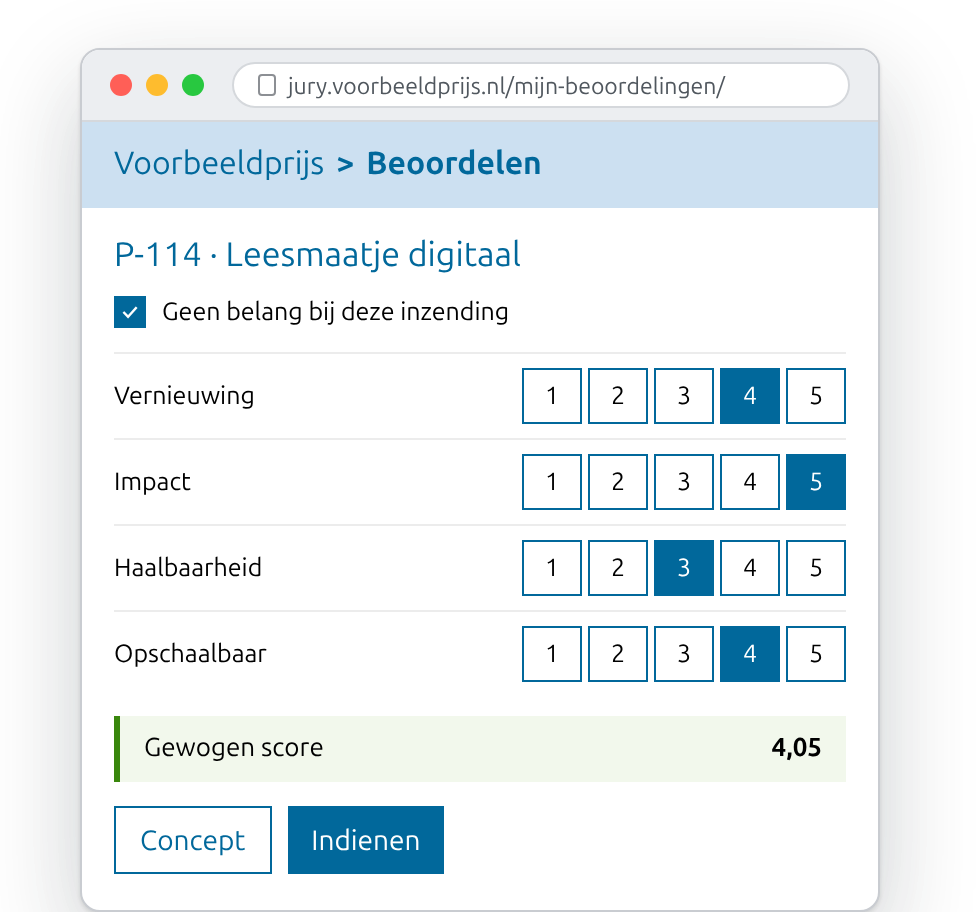
- conflicts of interest declared before assessment
- scoring form with fixed criteria, weightings and explanations
- progress by assessor and submission
- ranking and jury report directly from the scores
How the process flows
- SubmissionEntrants provide their complete submission, including attachments.
- AssignmentSubmissions go to assessors with no conflict of interest.
- AssessmentEach assessor scores against fixed criteria and explains their scores.
- JuryScores, their spread and comments are ready for the jury meeting.
- ResultA decision and feedback for each submission, without retyping.
Now
Folders, emails and spreadsheets
- sending PDFs to each assessor
- scores in separate Excel files
- asking for progress updates by email
- calculating averages by hand
- drafting feedback for entrants separately
Next
One assessment portal
- submissions assigned automatically
- every assessor scores against the same criteria
- progress at a glance
- ranking directly from the scores
- feedback for each submission ready to send
Example flow
How your assessment round will work
Example process
Award scheme, 250 submissions, 20 assessors
Currently, submissions arrive as PDFs in folders, and the coordinator combines twenty spreadsheets. Here is how one assessment round will work:
- 1 March · AssignmentThe submission period closes. The 250 submissions are assigned automatically: each submission gets two assessors, and each assessor gets 25 submissions.
- 2 March · Declare an interestAn assessor knows one of the entrants and declares this. That submission automatically goes to another assessor.
- 2 to 15 March · ScoringAssessors score against fixed criteria and explain their scores. The coordinator sees each assessor’s progress.
- 20 March · JuryThe jury meeting starts with a ranking and all explanations in one place.
Discuss your assessment process
In 30 minutes, we discuss how submissions are currently assigned, how scores are brought together and where the round gets delayed.
- no detailed plan needed
- you share your process and bottleneck
- together we decide on a suitable next step


You will speak to Jurriaan Koops or René Serier, the partners at Aiwos.
After submitting
- A personal response within one working day
- A 30-minute conversation at a time that suits you
- A concrete next step, even if we are not the right fit